Looks like you have an ad blocker running. Ads keep Viora free to use, so please consider whitelisting the site.
Free download · v0.1.0

Download
Viora

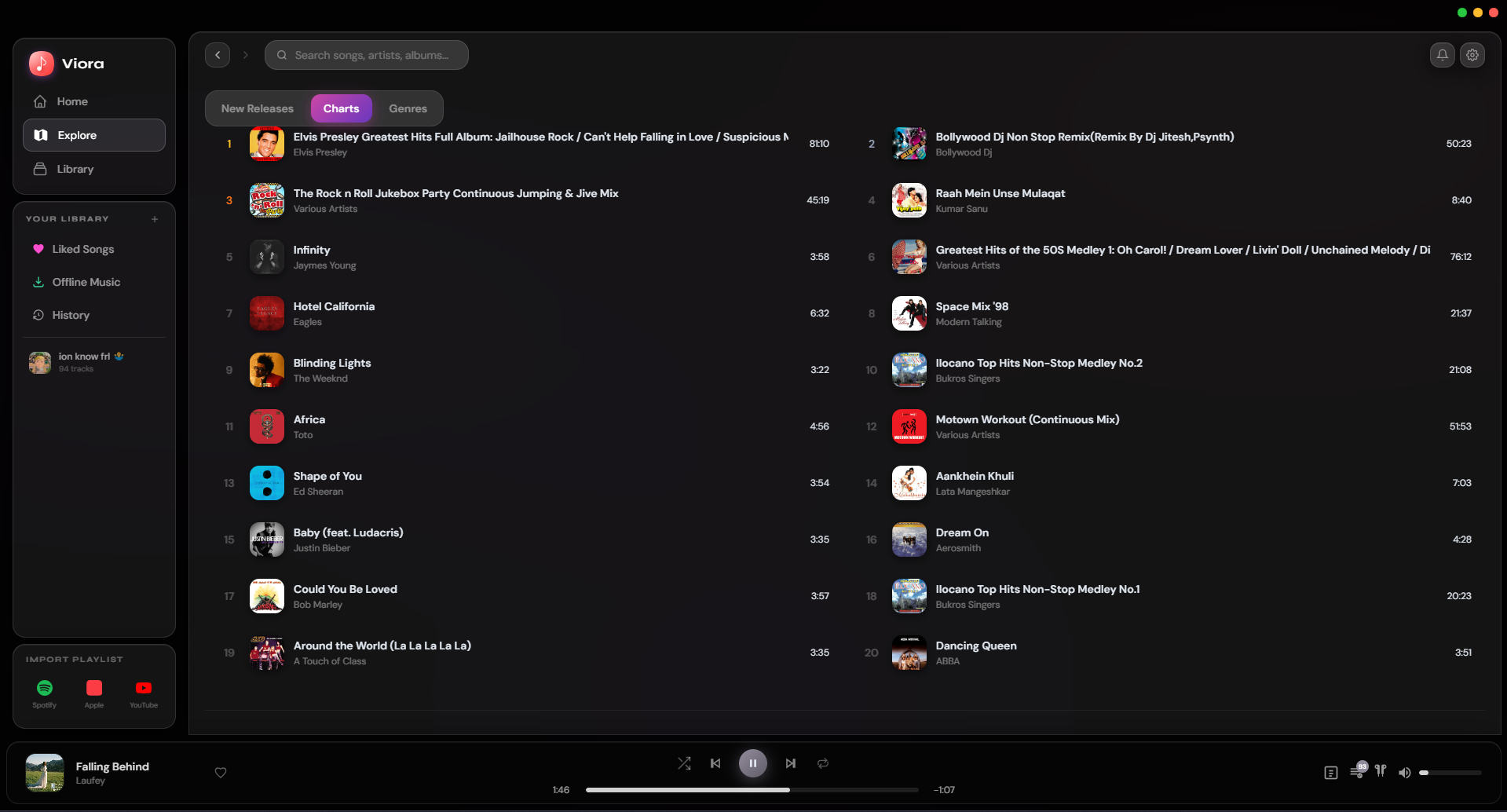
A modern, sleek music player for Windows. 100M+ songs, zero subscriptions.
Free forever
No sign up
Privacy first
Viora music player desktop interface
Free and Unlimited
Access millions of songs with no limits, no subscription, no paywall, forever.
No Account Needed
Viora auto-detects your browser session. Just install and play, nothing to configure.
Lyrics, Playlists and More
Synced lyrics, custom playlists, offline caching, and beautiful themes included.
Setup Guide

Get started in 2 minutes.

Viora automatically connects to your YouTube Music account by reading your browser session. No setup needed for most users. Manual cookie export is there if you ever need it.

1
Install Viora
Run the Windows .exe installer. It takes about 30 seconds and doesn't require admin rights on most systems.
2
Launch and you're in
Viora automatically detects your logged-in browser session from Chrome, Edge, Brave, or Firefox. Just open the app and start listening, no extra steps required.
Your session stays on your device. Never sent anywhere.
3
Optional
Manual cookies.txt
If auto-detection doesn't work on your setup, you can export a cookies.txt file manually. Install one of these free browser extensions:
4
Export on music.youtube.com
Click the extension while on music.youtube.com, export, and save the file as exactly:
cookies.txt
5
Drop it in the Viora folder
Place the file next to the app executable and Viora will pick it up automatically on next launch.
📁 Viora/
  ├── viora.exe
  └── cookies.txt
Setup checklist
Download and install Viora
Run the .exe installer
Launch and you're already in
Auto-detects Chrome, Edge, Brave, Firefox
Manual cookies.txt
Advanced users only
Optional
Enjoy 100M+ songs
Zero subscriptions, forever free
Your privacy is protected. Your browser session and cookies stay on your device. Viora never uploads or shares any of it.
Download Viora Free